
If you are creating a new Plan or Pass that is similar to an existing one, you may wish to duplicate one instead of creating a new one from scratch. After you have duplicated the pass or plan, you will be able to edit information prior to selling the new item.
In This Article
Who can use this feature?
- Pike13 Plans: ✅Premium, ✅Advanced, ✅Essential
- User Roles: ✅Primary Owner, ✅Owner, ✅Manager, ❌Staff, ❌Limited Staff
Recurring and Prepaid Plans
- Go to Settings and select Plans.
- Choose + New Plan.
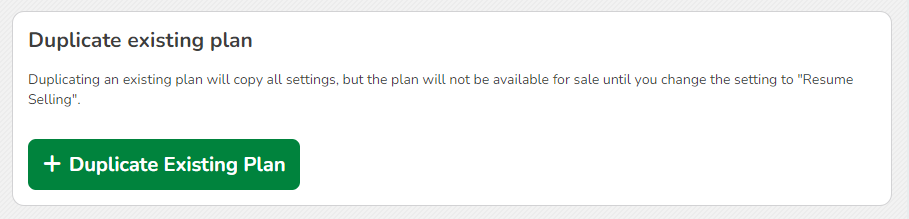
- Scroll to the bottom and click + Duplicate Existing Plan.
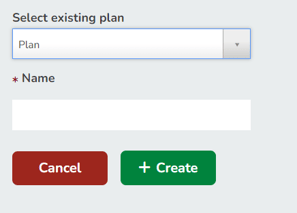
- Under Select existing plan, choose the plan you wish to duplicate from the drop down menu.
- Enter a Name for the new plan.
- Select + Create.
- The new plan will be suspended at the bottom of the plan page. Edit the new plan as needed.
- After the plan has been updated and is ready to be sold, select Resume Selling.
Passes
- Go to Settings and select Passes.
- Choose + New Pass .
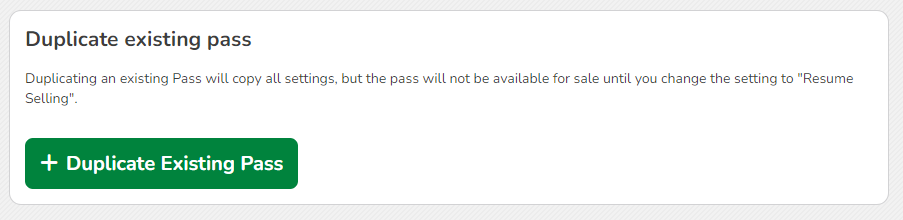
- Scroll to the bottom and click +Duplicate Existing Pass.
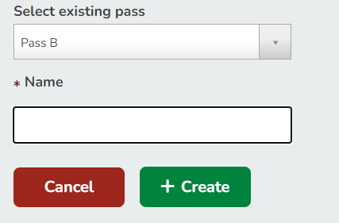
- Under Select existing pass, choose the pass you wish to duplicate from the drop down menu.
- Enter a Name for the new pass.
- Select + Create.
- The new pass will be suspended at the bottom of the pass page. Edit the new plan as needed.
- After the pass has been updated and is ready to be sold, select Resume Selling.