
As a client of a business(s) that uses Pike13, you can sign in to the Client App or Branded App to buy a plan with recurring payments, a prepaid plan or a pass.
In this article
Buying a pass or plan
- Log in to your Pike13 client/branded app.
- Click More from the menu at the bottom.
- From here select Plans & Passes.
- To purchase a new plan or pass, choose Add Plan or Pass.
- Choose the Plan or Pass you wish to purchase.
- Click Buy.
- Select Checkout:
- Select a payment method from the dropdown list.
- If you don’t have a credit card stored, or if you want to use a different card than what is stored, select Add a new credit card, enter the required information, Save, and then Finish.
Note
Signing Terms and Conditions
If you're prompted to accept terms and conditions, do one of the following:
- Check the checkbox, then Accept.
- If an electronic signature is required, select Sign Now, Continue, sign when prompted, then Finish.
Buying a pass or plan for your child or someone you manage.
- Log in to your Pike13 client/branded app.
- Click More from the menu at the bottom
- From here select Plans & Passes.
- To purchase a new plan or pass for someone you manage, click Managing at the top.
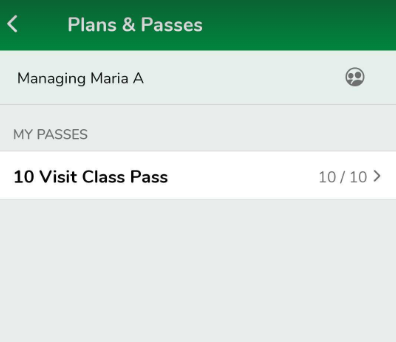
- From here, select the person you wish to purchase the plan for.
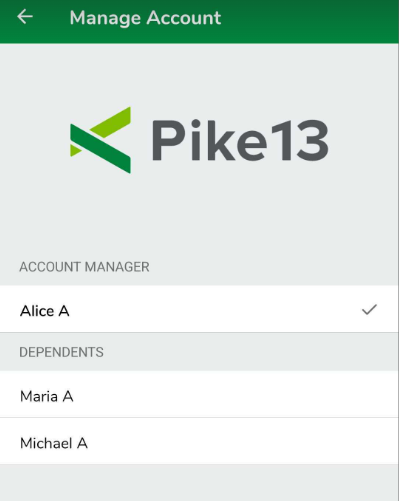
- To purchase a new plan or pass, choose Add Plan or Pass.
- Choose the Plan or Pass you wish to purchase.
- Click Buy.
- When ready to checkout, select Checkout:
- Select a payment method from the dropdown list.
- If you don't have a credit card stored or if you want to use a different card than what is stored, choose New Payment Method, enter the required information, click Save, and then Finish.
Warning
Coupons and Group Rates are not supported in the Client App/Branded App
Clients will not see the option to enter a coupon code or add family members to a pass or plan in the Client App or Branded App. To apply a coupon code to a purchase or take advantage of group rates, clients will need to log in to the site directly.