
The Pike13 Branded App for iOS and Android allows clients to easily schedule services, manage their plans and payment methods, and track upcoming activities on the go.
In this article
My Activities
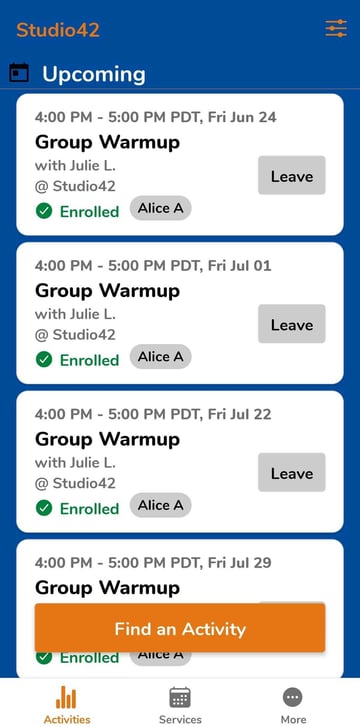
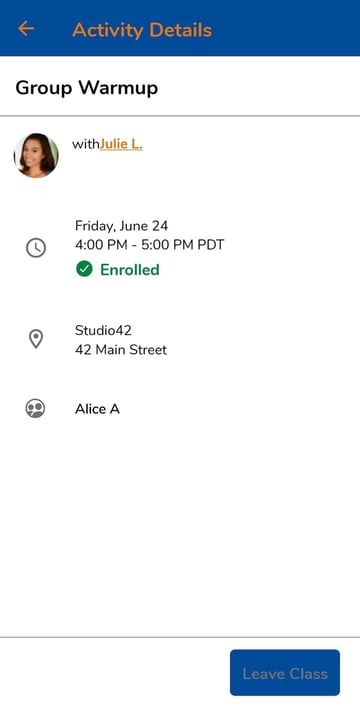
View your and your dependents upcoming activities, find additional classes and appointments offered by the business. If you are unable to attend an upcoming activity, cancel your enrollment and reschedule. Click an event for more details about the service and instructor.
Note
App Requirements
Due to the many versions of Android and Apple devices available, your experience may vary depending on your device model, operating system version, display size, and device settings. Pike13 apps may not be compatible with older devices and operating systems. We highly recommend that you use the most current stable operating systems on devices released preferably in the last 2-3 years.
Services
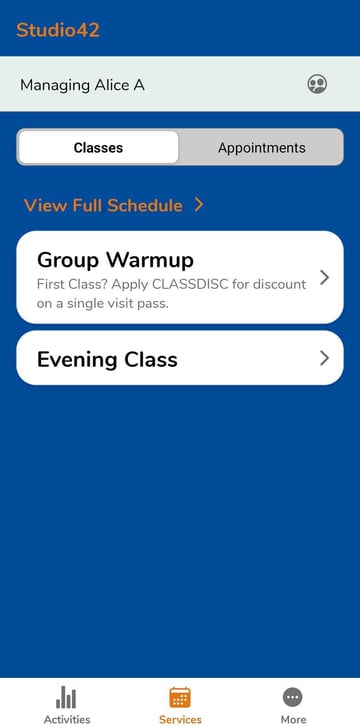
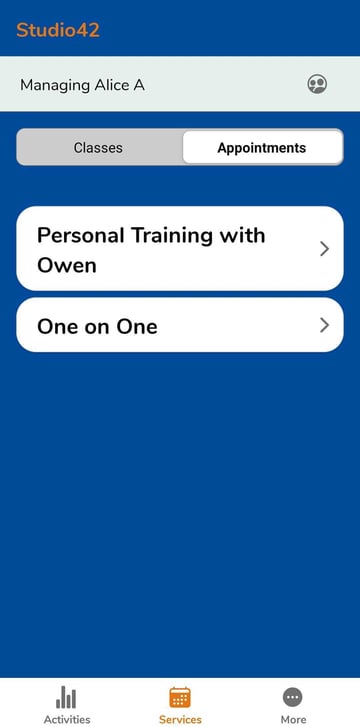
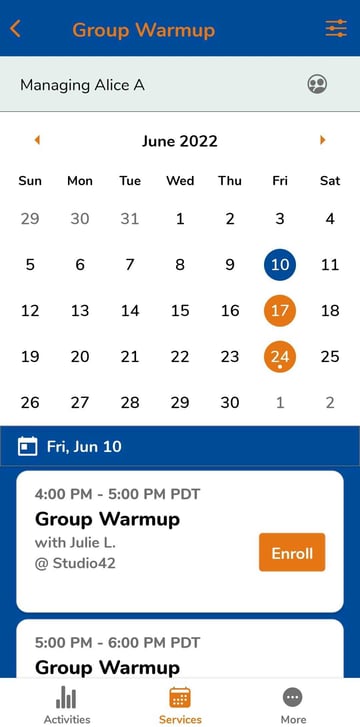
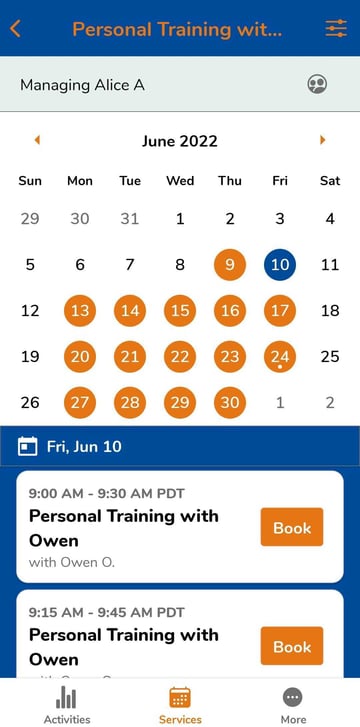
View a list of Classes and Appointments offered by the business. Click Services - Classes to see all upcoming classes or click a class service to see times only for the selected service. Click Appointments to see private services and to schedule a time.
When viewing a specific class or appointment service, the calendar will highlight the days the service is offered (colored circles) and show you the days you are already enrolled (dot). This simplifies the enrollment process and makes it easy to find a time that fits with your upcoming activities.
Additional features
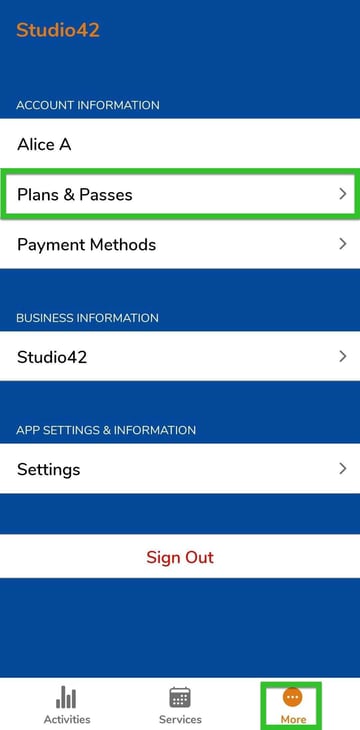
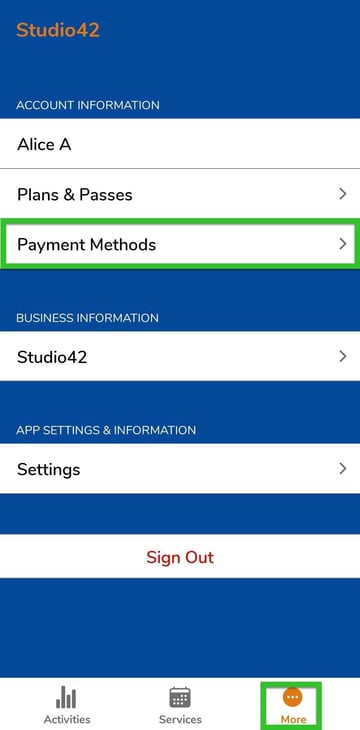
Click More to access Account Information, Business Information, and App Settings & Information.
Account Information
View and purchase plans and passes, including the number of visits remaining on your active passes. You can also see and manage your payment methods.
Business Information
View the contact information for the business.
App Settings & Information
Manage your notification preferences and let us know if you run into any issues using the Pike13 Branded App. Please note, messages through the app DO NOT go to the business.
The Pike13 Branded App is branded to your business and has additional fees and requirements. Please reach out to sales@pike13.com for more information on purchasing a Branded App.
Warning
Clients cannot purchase courses in the Branded app
Neither the Branded app or the Client app allow clients to enroll and pay the course fee. Clients will need to purchase courses by logging in to their accounts through a mobile or computer browser.