
The Pike13 Client App (available for iOS and Android) gives your clients the freedom to manage their own schedule. They can book classes, cancel appointments, pay for memberships, and manage their children's profiles—all from their phone.
In This Article
Download & Requirements
The Pike13 Client App is included in all packages at no additional cost.
-
iOS (Apple): Download from the App Store.
-
Android: Download from Google Play.
-
System Requirements: For the best experience, we recommend using a device released in the last 2-3 years running the most current stable operating system. Older devices may experience compatibility issues.
My Activities (Your Dashboard)
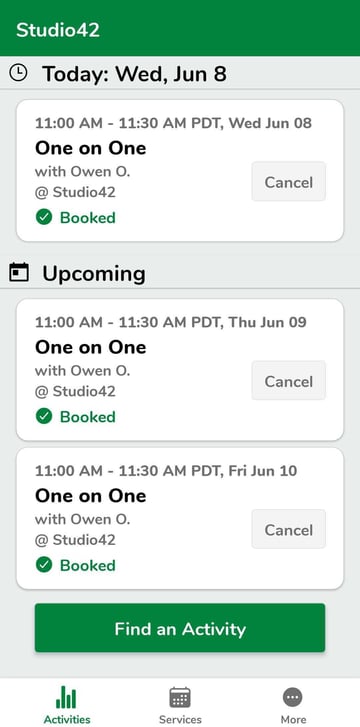
When you first log in, you land on the My Activities tab.
-
Upcoming Schedule: View a list of your future classes and appointments.
-
Dependents: If you manage a child's account, their activities will appear here as well.
-
Managing Visits: Tap any upcoming event to see details. From here, you can Cancel your enrollment if you can no longer attend.
Services (Booking)
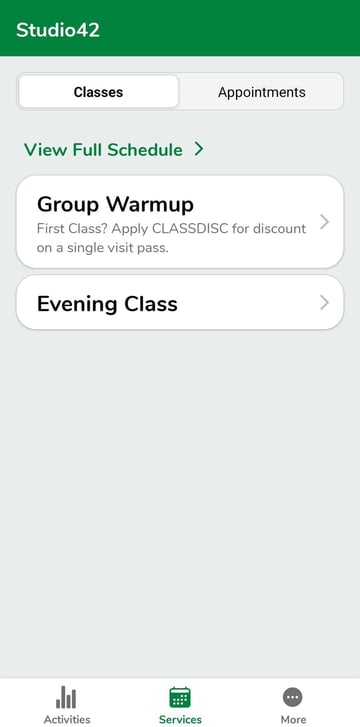
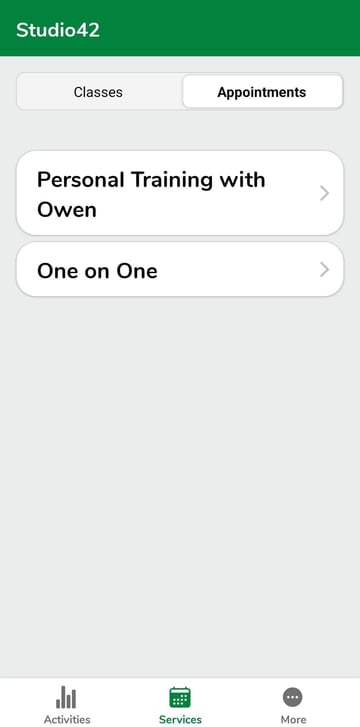
Tap Services to find and book new activities.
-
Classes: Browse the group class schedule. Filter by date or instructor to find the right session.
-
Appointments: Find available time slots for private services (like Personal Training).
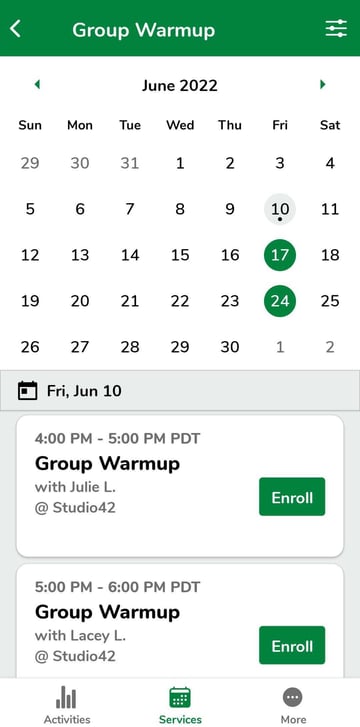
Understanding the Calendar: When selecting a date, the calendar uses visual cues to help you:
-
Colored Circle: Indicates the service is offered on this day.
-
Dot: Indicates you are already enrolled on this day.
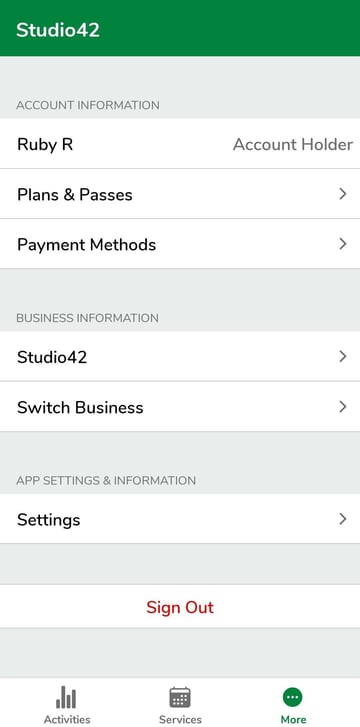
More (Account Management)
Tap More in the bottom navigation to access your profile settings.
-
Plans & Passes: View your active memberships and see how many "punches" remain on your punch card.
-
Payment Methods: Update your credit card on file or add a new bank account.
-
Business Info: View the address, phone number, and website of the business.
-
App Settings: Manage your push notification preferences.
⚠️ Important App Limitations
Please be aware of the following restrictions in the mobile app:
-
Coupons: You cannot apply coupon codes inside the app. To redeem a coupon, you must purchase your pass via a web browser (Safari/Chrome).
-
Courses: You cannot enroll in semester-based Courses via the app. This must be done via a web browser.
-
Feedback: The "Send Feedback" button in the settings goes to the Pike13 Engineering team, not the business. If you need to contact the gym about your membership, please use the contact info found under the "Business Info" tab.