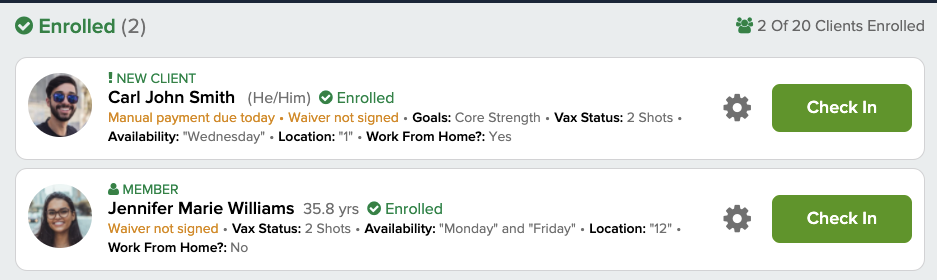
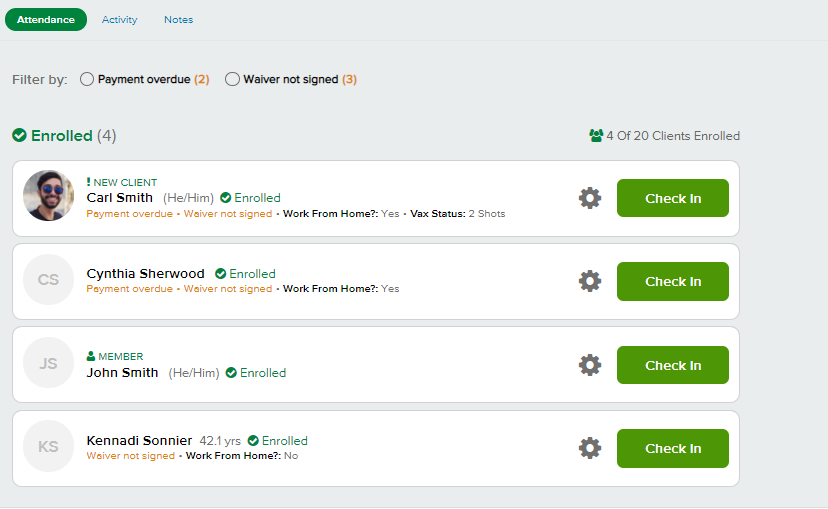
In your Pike13 business you can quickly see which clients have failed payments, payments due, incompatible plans/passes to for a service, incorrect email addresses (emails that have bounced) or unsigned waivers. You may also choose to view custom client fields chosen by your business.
In This Article
Who can use this feature?
- Pike13 Plans: ✅Premium, ✅Advanced, ✅Essential
- User Roles: ✅Primary Owner, ✅Owner, ✅Manager, ✅Staff, ✅Limited Staff
Roster alerts
Showing alerts on the roster allows staff to resolve issues right away. For more information visit our article on Roster Alerts.
Client information
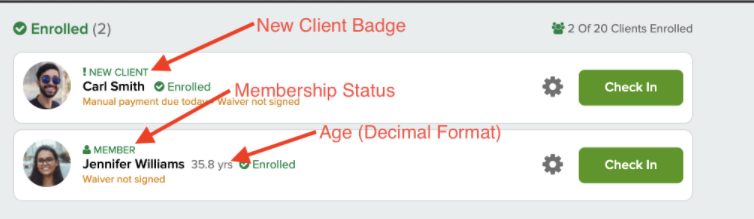
Within the roster, your business may choose to show additional information. In this case, you may see a new client badge if this is the first time a client has enrolled in an event, membership badge if they have purchased a membership product, or the client's age in decimal format.
Custom client fields
Businesses may also choose to display up to 5 custom client fields. At a glance, staff with access to the roster will be able to see helpful information about each client. In some cases, the field is too long to display all of the information. To see the entire field, staff can click on the gear icon. If a field is not displayed for a client, then this may be incomplete on their profile.