
If you wish to offer a free pass to every client who creates a profile at your business, you can create a complimentary pass. Complimentary passes will be automatically added when a client creates a profile.
Who can use this feature?
- Pike13 Plans: ✅Premium, ✅Advanced, ✅Essential
- User Roles: ✅Primary Owner, ✅Owner, ✅Manager, ❌Staff, ❌Limited Staff
Creating a New Complimentary Pass
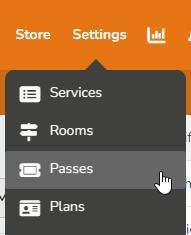
- At the top of any Pike13 page, select Settings then Passes.
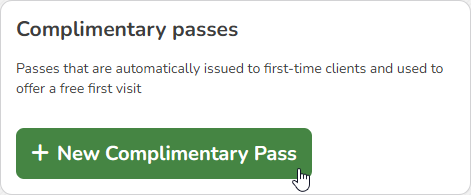
- Choose + New Pass then select + New Complimentary Pass.
- On the Basic info tab, enter the following info:
- Name of the pass
- Short Description
- Full Description
- Terms and conditions
-
Warning
We do not recommend adding Terms and Conditions to a complimentary pass. Since they are automatically added to new profiles, clients will not have the opportunity to accept terms and conditions.
-
- Click Next Step.
- On the Pricing tab, enter the following info:
- Price of the Pass
- Number of free Visits included with the pass
- Number of days, weeks or months until the pass expires
- Revenue Category
- On the Restrictions tab:
- Choose whether a client is considered a member when this pass is added to their profile. Only select "Yes" if you wish every client who creates a profile to be considered a member.
- Click Save.
- Select the services in which a client can enroll when they have this pass.
- Click Save.