
Staff members can manage their own Pike13 notification settings to receive various alerts via text (SMS), email, or within the Pike13 website.
In this article
Who can use this feature?
- Pike13 Plans: ✅Premium, ✅Advanced, ✅Essential
- User Roles: ✅Primary Owner, ✅Owner, ✅Manager, ✅Staff, ✅Limited Staff
Manage Your Notification Settings
- At the top of any Pike13 page, choose the Notifications button (bell icon), and then select Settings
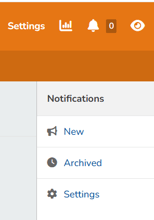
- If you are a staff member who is also a client, choose whether to edit the settings for your staff member notifications or your client notifications.
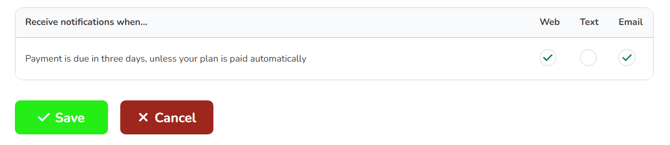
- To change or update your preferences, click Edit next to any of the available notifications, check the boxes on the right to specify to be notified on the Pike13 website, by text, or by email. Select Save.
NOTE
Notifications that occur around the same time are collected into one email, even though your Pike13 business will continue to list them separately. Text messages will still be sent separately.
Warning
Receiving text messages
You must have a cell phone number on your profile to receive text messages from Pike13.
Review Your Notifications in Pike13
- At the top of any Pike13 page on the right hand side, click on the Notifications button (bell icon).
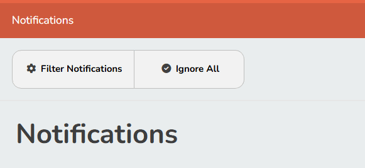
- To find a particular type of notification, select Filter Notifications, then choose the filter option.
- To archive notifications, do one of the following:
- To dismiss all notifications, choose Ignore All.
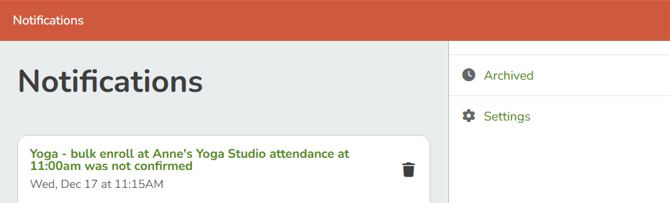
- To dismiss one notification, select the Ignore button
 to the right of the notification. Dismissing a notification reduces the notifications count at the top of your Pike13 page.
 - To see notifications that you have dismissed, select Archived.
Note
International Numbers
International numbers must be formatted as [subscriber number including area code]. Pike13 will append the respective country code to the phone based upon the Country that is set in the businesses Advanced Settings.