
The right side menu is where you have the power to manage your details, plans, passes, and payment methods efficiently. Navigating through these sections in the side menu ensures you have full control over your personal information, notifications, payments, and more. Make the most out of your dashboard experience with these intuitive features.
In this article
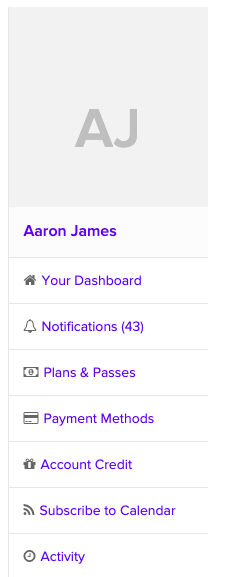
Profile Information
Keep your information up to date with ease. Whether it's your name, address, email, or telephone number, you can edit your profile details. On your mobile device, simply choose Edit Profile. If you're on a computer, just click on your name to access this feature.
Photo
Add a personal touch to your profile by uploading a new photo or changing your existing one. Click on your profile photo to make the update.
Notifications
Stay in control of your notifications. Tailor what you receive and where it's sent by selecting "Notifications" and then navigating to "Settings."
Payment Methods
Simplify billing by ensuring your payment details are accurate. Add or update your credit card information to make transactions seamless.
Account Credit
Curious about your account credit? Check how much credit you have accumulated and manage it effectively.
Subscribe
Keep your schedule in sync with your personal calendar app. To make this happen, select Subscribe to Calendar and follow the provided instructions.
Activity
Stay informed by reviewing the recent activities that have taken place within your account.