
Once you have created your Pike13 account, you can sign in and manage your profiles at any business that uses our software from your computer, mobile device, or our client app
In This Article
Signing In to Your Client Account
- In the top right corner of your Pike13 website, select Sign in.
- Enter your email address and password.
- Choose Sign in.
Warning
Invalid Email or Password
If you receive an "Invalid email or password" error when trying to sign in, we recommend first checking that the email address is entered correctly and it is the same email address used to set up the account. If the email is correct, you can reset the password by selecting "Forgot your password?" If after resetting the password, you still cannot sign in, reach out directly to the business to confirm your account email address.
Change Your Account Email Address or Password
- Once you are signed in, select Your Account on the bottom right.
- Do any of the following:
- To change your email address, under Email address enter an updated email address, and then under Current password enter your current password.
- To change your password, under Current password enter your current password, and then under Password enter your new password.
- Select Save.
Reset your password
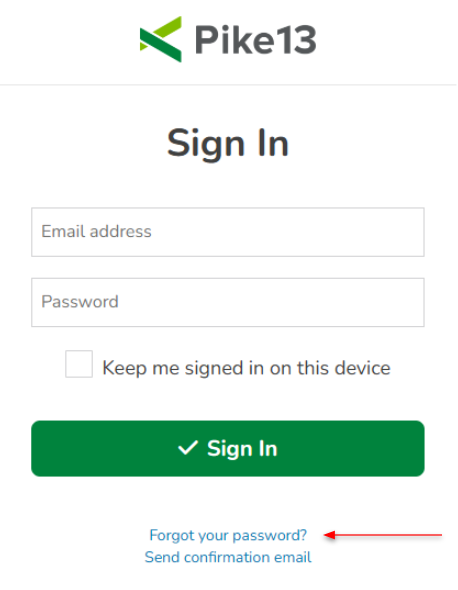
- On the sign in page, select Forgot your password?
- Enter your email address and select Send Instructions.
- Check your email, open the Pike13 email “Reset password” and click the link to reset your password.
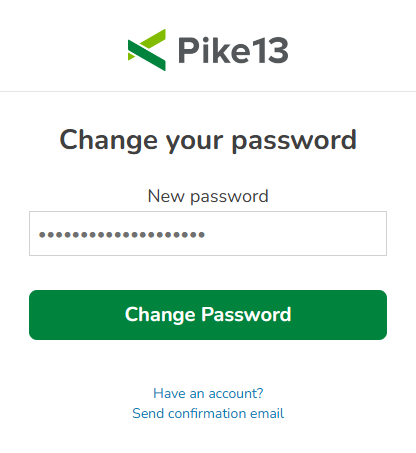
- Enter your new password and click Change Password.
Note
Account vs. Profile
The first time you sign up with a business that uses Pike13, you will create a Pike13 account. Your Pike13 account will include your first name, last name, sign in email address and password. Your client profile is specific to each individual business that uses Pike13. This allows you to manage all of your client profiles in one account.
For example, if you join a yoga studio and fitness studio that both use Pike13, you will be able to sign in to your Pike13 account, then go to your client profile for each business.