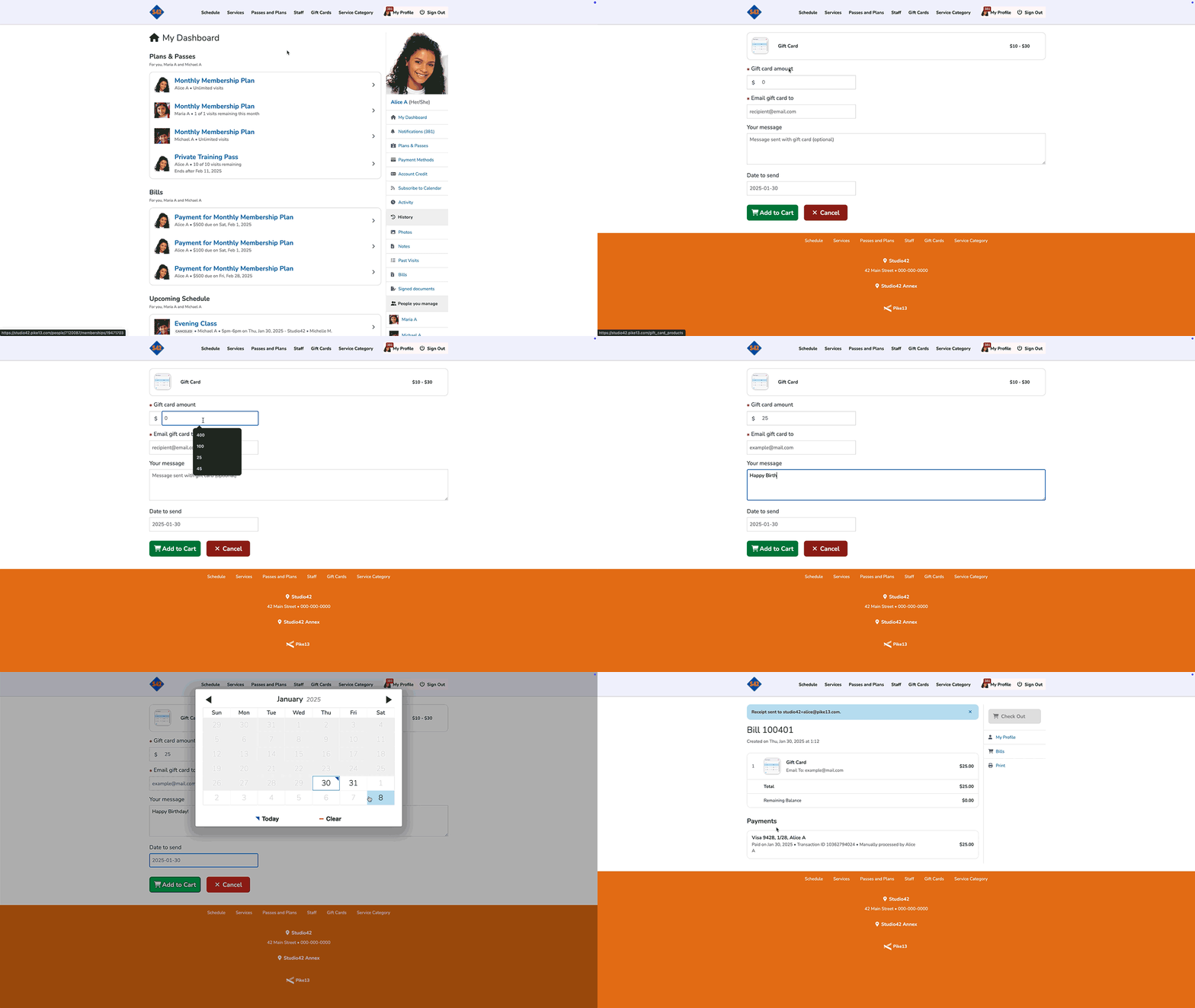
As the client of a business that uses Pike13, you can buy a gift card. If you are not a client at a given business, you can still purchase gift cards through guest checkout. You can send the card immediately or schedule it to be emailed on a specific future date, perfect for birthdays or holidays.
How to Buy a Gift Card
-
Navigate to the Gift Card page on the Pike13 website for the designated business.
-
Customize the Card:
-
Amount: Enter the dollar value.
-
-
Recipient Details:
-
Email: Enter the email address of the person receiving the gift.
-
Message: Add a personal note (optional).
-
Send Date: Choose Today to send it immediately, or select a Future Date to have the email sent automatically on a special occasion.
-
-
Click Add to Cart.
-
Checkout:
-
Click Secure Checkout.
-
Log In: If you are an existing client, sign in to use your stored payment methods.
-
Guest Checkout: If you are not a client (e.g., buying a gift for a friend), you can proceed as a guest without creating a full profile.
-
-
Payment:
-
Select an existing card or click Add a new credit card.
-
Click Finish to complete the purchase.
-
What Happens Next?
The recipient will receive an email on the scheduled date containing a unique Gift Card Code. They can redeem this code during checkout to pay for classes, appointments, or merchandise.