
When you log in to Premium Reporting, you’ll see a set of pre-built reports based on customer requests. These reports can be customized for your business by editing fields and filters.
Who can use this feature?
- Pike13 Plans: ✅Premium, ❌Advanced, ❌Essential
- User Roles: ✅Primary Owner, ✅Owner, ✅Manager, ❌Staff, ❌Limited Staff
Adding a new column
- Go to Premium Reporting and select the report you wish to adjust.
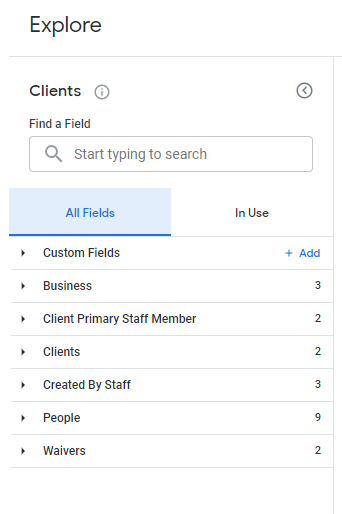
- On the left hand side, there is a search bar to locate and select additional data fields for your customized report.
.
- To see which field(s) are already in use, switch to the In Use tab instead of All Fields.
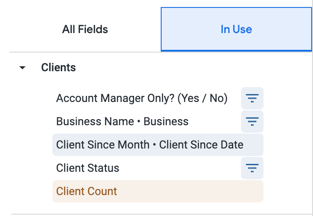
- From here, select the field(s) you wish to add by clicking on each one. Fields to be included in the report will be highlighted in grey.
- Once you have selected all of your fields, click Run to update the report.