If the Pike13 business has implemented waitlists, you will see the option to add yourself to a class or course if it is currently full. Depending on the business, you may be required to purchase a product or place a card on file in order to add yourself to a waitlist.
In This Article
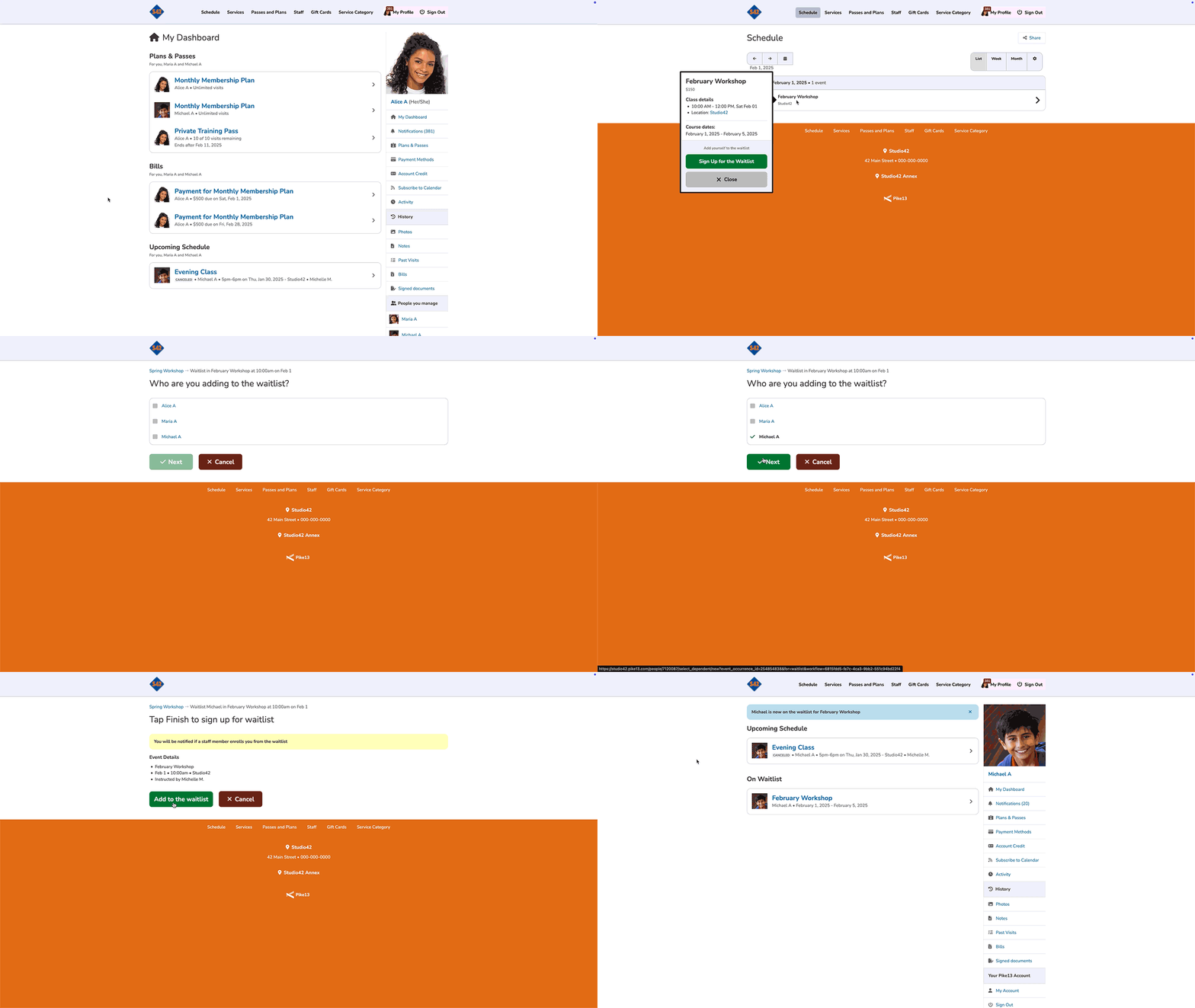
Adding yourself to Class/Course Waitlist
- Sign in to the Pike13 website.
- Select Schedule to find the course or class you wish to join.
- If the class or course is full, select Join Waitlist.
- Depending on the business, you may need to add a payment method or purchase a pass in order to be added to the waitlist.
- Once you have completed the waitlist requirements, click Join Waitlist.
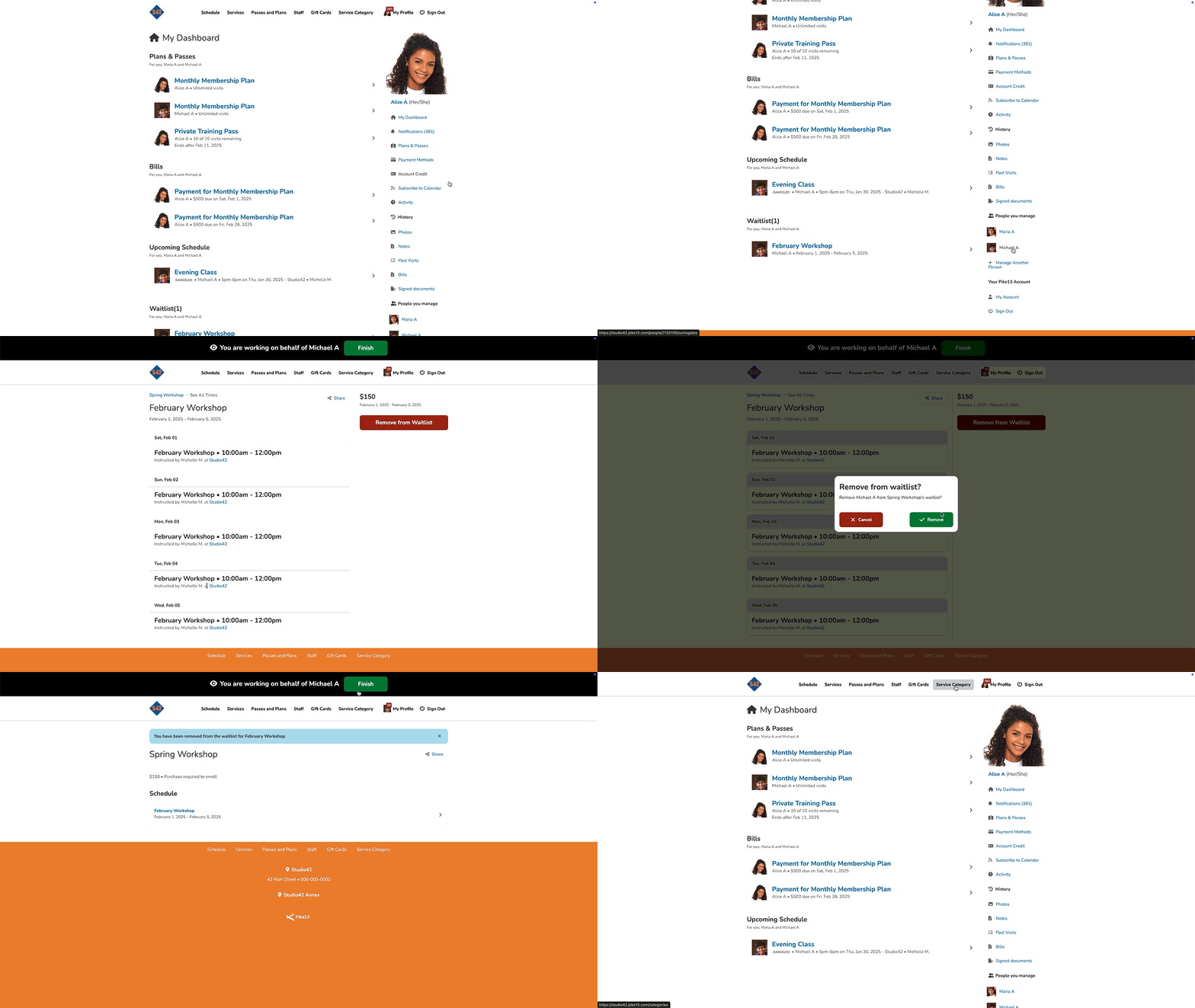
Removing yourself from a Class/Course Waitlist
- Sign in to the Pike13 website.
- Under On Waitlist, select the class or course you wish to remove yourself from.
- Select Remove from Waitlist.
- Click Remove to confirm